Tabbar 标签栏
介绍
底部导航栏,用于在不同页面之间进行切换。
组件结构
Tabbar 导航栏通常由导航栏容器和包含图标和标题的导航选项组成。

// Tabbar 标签栏
<van-tabbar v-model="active">
  <van-tabbar-item icon="home-o">首页</van-tabbar-item>
  <van-tabbar-item icon="activise-o">活动</van-tabbar-item>
  <van-tabbar-item icon="label-o">标签</van-tabbar-item>
  <van-tabbar-item icon="space-o">空间</van-tabbar-item>
  <van-tabbar-item icon="setting-o">我的</van-tabbar-item>
</van-tabbar>
UI 标签
标记 Tabbar 标签可将由 div、img、span 这些标签组成的导航栏代码转化为 Tabbar 组件化代码。
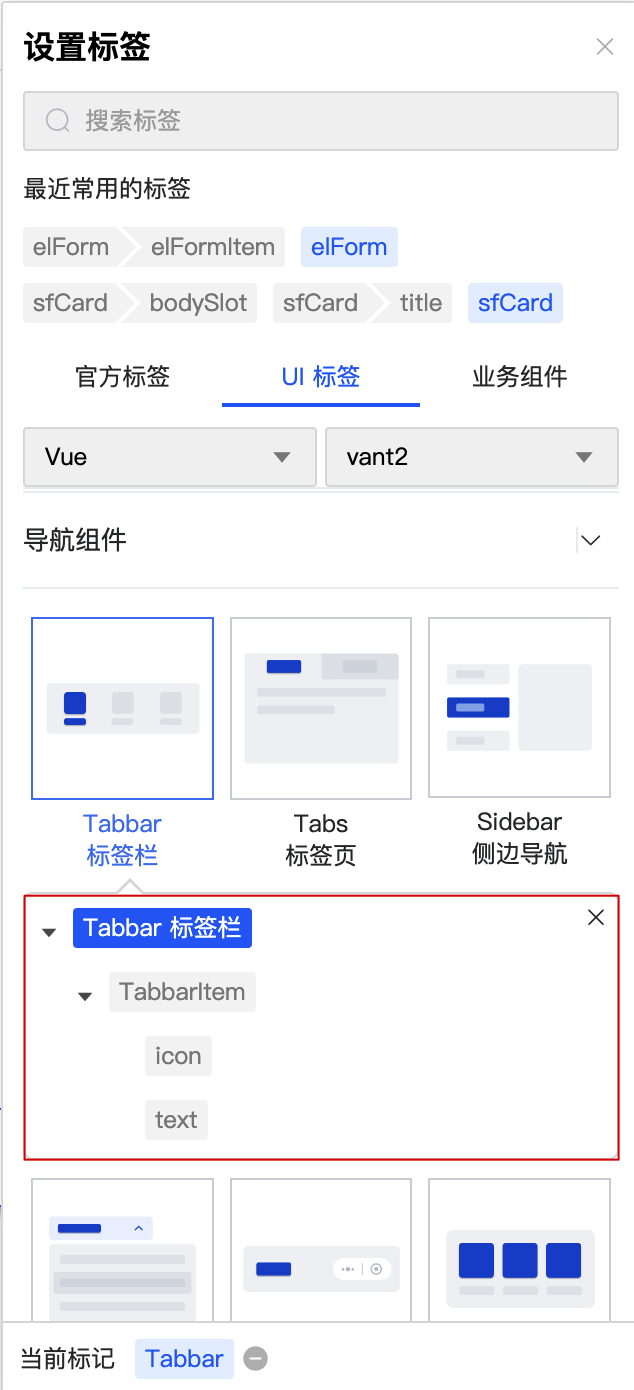
| 标签名称 | 标签类型 | 标签描述 |
|---|---|---|
| Tabbar | 组件标签 | 导航栏容器,将标记了该标签的节点替换为 van-tabbar 组件模版 |
| TabbarItem | 组件标签 | 导航选项容器,将标记了该标签的节点替换为 van-tabbar-item 组件模版,并插入 van-tabbar 标签中 |
| icon | 插槽 Slot | 图标,将标记了该标签的元素插入到 van-tabbar-item 标签的html<template #icon="props"</template>中 |
| text | 插槽 Slot | 标签标题,将标记了该标签的文本插入到 van-tabbar-item 标签的内容中 |
组件类型
Tabbar 组件分为两种类型:基础用法和徽标提示。
基础用法
v-model 默认绑定选中标签的索引值,通过修改 v-model 即可切换选中的标签。

标记组件:首先找到 UI 界面中标签栏容器对应的 Dom节点标记上 Tabbar 标签,然后选中导航栏选项容器对应的 Dom节点标记上 TabbarItem 标签,图标和标题分别标记上 icon 和 text 标签。
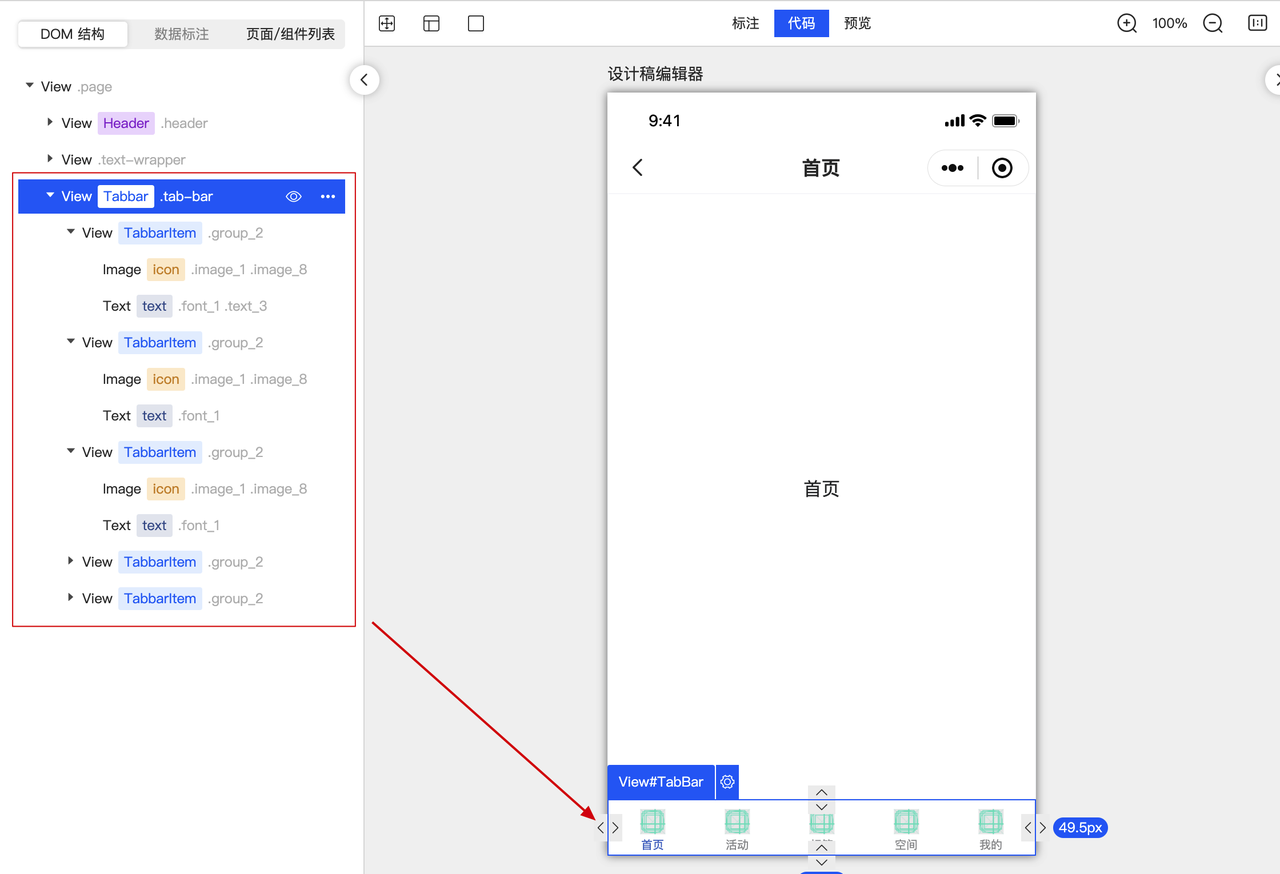
输出组件化代码:
// 默认新创建一个导航文件
<div>
  <router-view></router-view>
  <van-tabbar :route="true" active-color="#386acc" inactive-color="#969799">
    <van-tabbar-item :to="{name: 'biaoqianlan_Tabbar'}">
      首页
      <template #icon="props">
        <img
          :src="props.active ? 'assert/326a.png' : 'assert/326a.png'"
        />
      </template>
    </van-tabbar-item>
    <van-tabbar-item :to="{name: 'biaoqianlan_Tabbar_1'}">
      活动
      <template #icon="props">
        <img
          :src="props.active ? 'assert/c326a.png' : 'assert/326a.png'"
        />
      </template>
    </van-tabbar-item>
    <van-tabbar-item>
      标签
      <template #icon="props">
        <img
          :src="props.active ? 'assert/326a.png' : 'assert/326a.png'"
        />
      </template>
    </van-tabbar-item>
    <van-tabbar-item>
      空间
      <template #icon="props">
        <img
          :src="props.active ? 'assert/326a.png' : 'assert/326a.png'"
        />
      </template>
    </van-tabbar-item>
    <van-tabbar-item>
      我的
      <template #icon="props">
        <img
          :src="props.active ? 'assert/326a.png' : 'assert/326a.png'"
        />
      </template>
    </van-tabbar-item>
  </van-tabbar>
</div>
属性配置
通过设置 Tabbar 组件属性可对标记后的按钮样式进行调整,以符合相关业务需求。
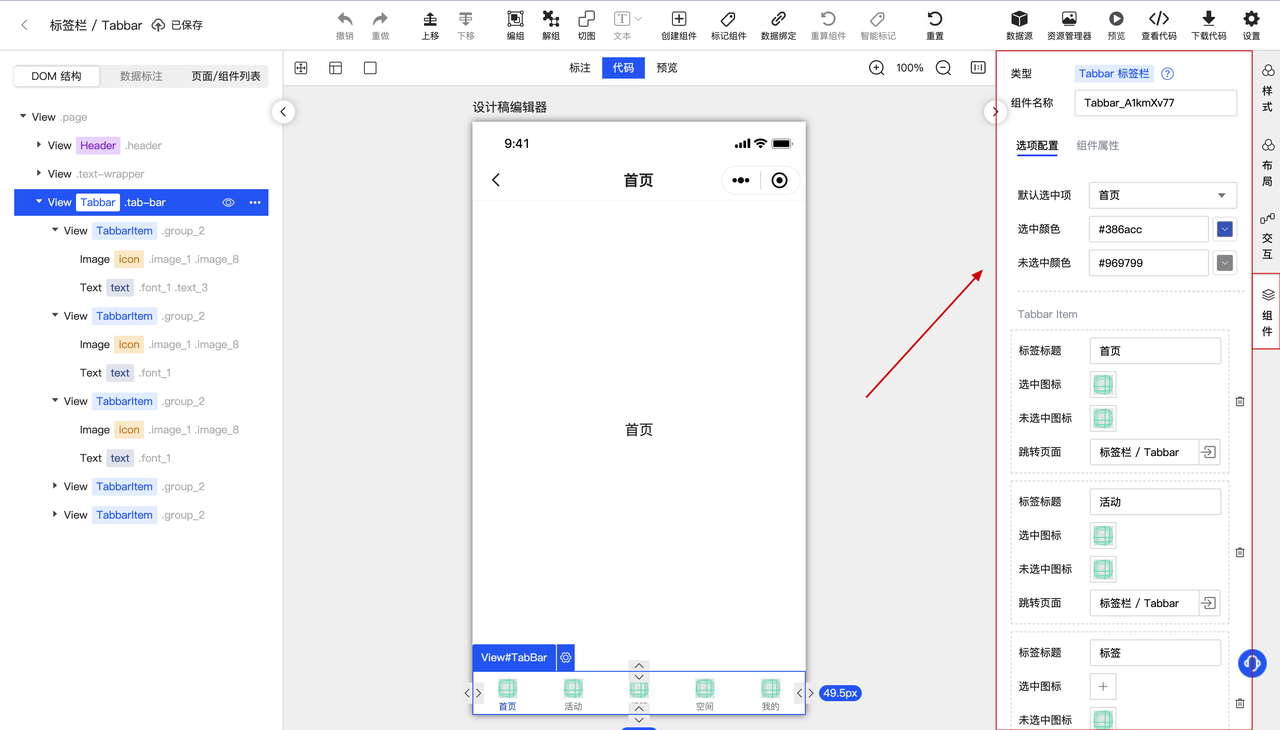
Tabbar Attributes
| 参数 | 说明 |
|---|---|
| 默认选中项 | 设置当前选中态导航标签 |
| 选中态颜色 | 当前选中态标签标题颜色 |
| 未选中态颜色 | 未选中态标签标题颜色 |
| 标签标题 | 导航项标签标题 |
| 选中图标选中图标 | 标签标题选中态图标 |
| 未选中图标 | 标签标题未选中态图标 |
| 跳转页面 | 标签对应的页面链接,点击可关联标签对应的导航页面 |
注:属性来源于—Vant 组件库官网 Tabbar 组件属性。